Movies, with AI
 edge
Since the game engine also requires nice visuals, let's focus on creating a movie. A big part of a movie is getting the visuals right, isn't it?
First movie experiment [WIP]
We need a new company movie. So this was actually a good reason for diving into this direction. Due to many youtube movies, let's try a Claude-Blender experiment. In this case there was already a pre-written movie script. This took quite some effort, since I'm not used how Blender is working.
The result is a movie following the script, still need to add voice over. I did finalize this first animation in +40 hours, but not yet happy. So let's move deeper in the subject: how do I get more control over the AI & it's output?
L'Edifice - The Mystery Box
This week, I did not have time spending my personal AI credits, so just need to try something Friday evening... This became the second movie experiment, again Claude-Blender combination, now with one week experience.
The minimal goal: flying through a l'Edifice city...
Necessities:
- Having many buildings already using LeoCAD and converted to GLB.
- Let Claude solve all issue's, importing these in Blender: simplify & update colors of all panels and changed all panels into database type again.
(So no duplicates and fixing color conversion errors.) - I told Claude the minimal requirements (prompt) and then all buildings were placed automatically, with a 'backup' for manual needed changes.
- Roads, rail track, props (trees, people, animals, cars etc) where automatically created too.
- I wanted a customized flying profile, that took a lot of time. (And which is still lacking a little, sorry...)
- And finally Claude connected all pieces together.
The result:
Overall it still took 18 hours building this complete animation, but I'm quite pleased with this.
Side step: convert movie into a race game
Now basically having a 'complete 3d environment', why not use it as 'game asset'. So with a bit of rework, this complete city was made ready for Godot game engine. And with Godot you could transform this into a game, walking/flying through this city yourselves! (That took less then half an hour.)
And spending an other evening (~3 hours), I was able to step inside a car -with suspension- and drive it around. Which was also hosted on this webhost server, so it was a first 'online' game trail too. Also included a simplified damage control & the car will explode when driving against a building. (Although the collision boxes are not yet completely right.) Anyway, it's amazing what is possible these days!
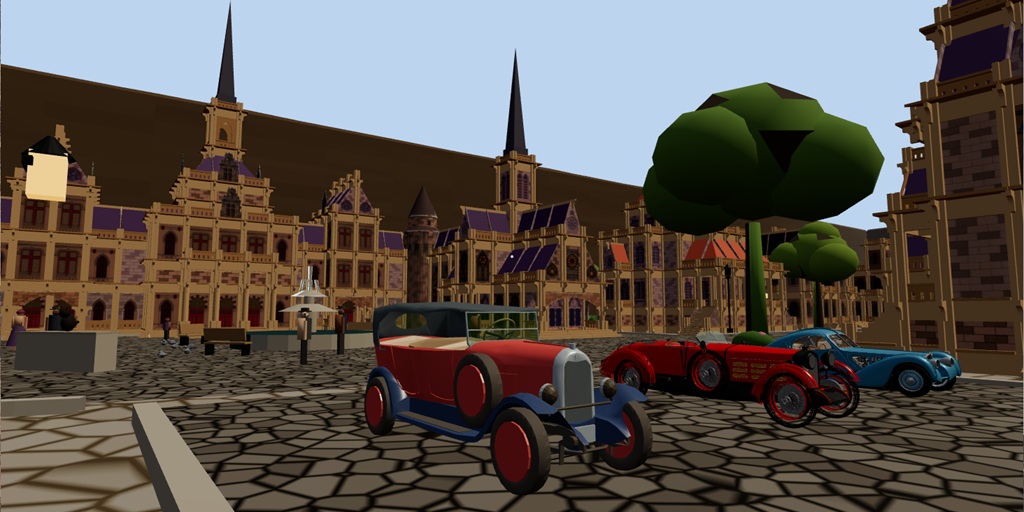
Just choose the car you want to drive, they all having a different properties. Click the picture to see the movie.
Side note: Of course this works right out of the box inside a web browser: both on pc (windows/mac) and mobile phones. That's what you expect right?!
Mobaco - Magical manual [WIP]
Next weekend, new movie experiment: This time converting a Mobaco manual into 3D popup houses:
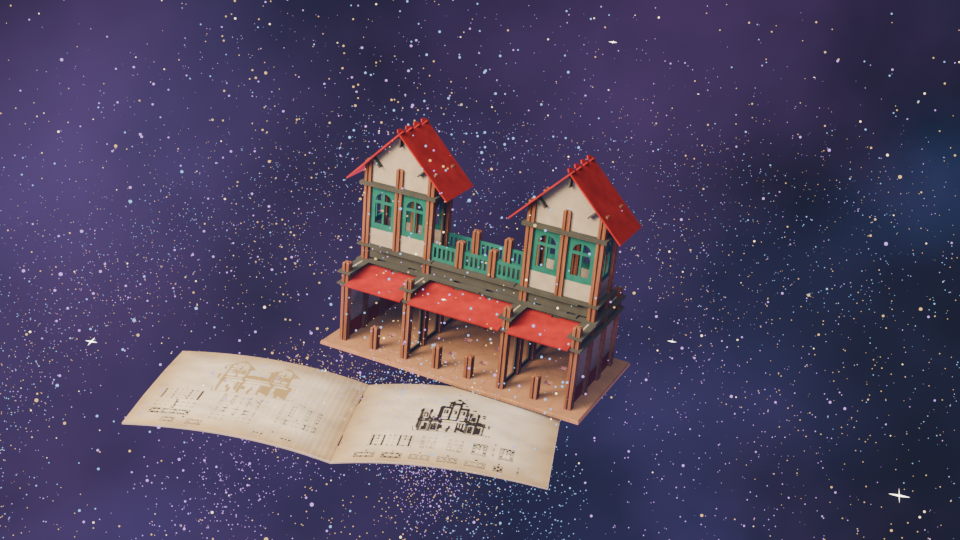
Let's say, work in progress: https://youtu.be/kL5bX3X5mgs
Well, the idea is working, but this is not amazing at all. Still took quite some time creating this movie (+12h).
It was also a good experience, how to create folding technics-engine, which makes this movie quite boring...
Mobaco - Build by gnomes
Two weeks later: Why not, the real Mobaco manual consists of gnomes, building/playing around with these Mobaco example buildings. Let's let some gnomes build buildings in 3D!
Software used:
- LeoCAD + Mobaco library → Create building(s).
- Python code → Transform this building into GLB.
- Scan gnomes from manual → ChatGPT.com → tripo3d.ai → Getting rigged gnomes.
- Claude Code + Godot → Make the 3D animation happen.
Although I do not like gnomes at all, it's used on the manuals. But there is more to tell about creating this movie:
- The gnomes having a state-machine. It's basically a method used for robots working inside an automated warehouse.
So I did not need to tell, which part should be moved where, these robots just following a list which part to take up next and where to place it. - Another element is adding some collisions, which is partly solved. Gnomes are not walking through each other or through parts.
Moving a part around is a different story, which I did not want to solve. - Next to that, I only needed to tell, how it should hold different parts and an add some variation, since gnomes are not machines!
- Then there are 2 digging movements. One is kneeling down, which happens 10% of the time. When creating this iteration of the movie, it did not appear at all. So every movie will differ, which makes it also a bit more exiting for me.
- Although the building, parts & genomes are 3D shapes, the scene is a parallax 2D screen. The front layer is created out of 2 layers, where one is moving a bit.
Took 13 hours to complete. I'm quite pleased with the result, especially about learning & applying different visualization mechanisms together.
I'm not planning to be a AI movie creator, but it's fun exploring.
So let's move to the next topic: game assets.